
You’ve spent weeks on your track. The arrangement is solid, the sound design is exactly where you want it, and you’re ready to send it to a mixing engineer. But here’s the truth most producers don’t realize until it’s too late: how you prepare your stems determines at least 30% of the final result – before the mixing engineer even touches a fader.
After 20+ years of mixing EDM tracks for labels like Sony, Warner, and Revealed Recordings, I’ve received thousands of stem packages. The difference between a smooth, fast mix session and a frustrating back-and-forth almost always comes down to stem preparation. Here are the five mistakes I see most often – and exactly how to fix them.
1. Not Verifying Your Stems After Export
This is the most common and most damaging mistake. You export your stems, send them off, and assume everything is there. But are you sure? Missing channels, accidentally duplicated tracks, and silent exports happen more than you’d think – especially in complex sessions.
The fix: After exporting all your stems, open a completely new, empty project in your DAW. Import every single stem file. Hit play and compare it to your original mix. Does it sound identical? If anything sounds off – a missing layer, a duplicated element making something too loud, or a processing chain that did not bounce correctly – you will catch it now, not after the engineer has already spent hours on your session.
This “bounce-back test” takes five minutes and saves everyone hours of confusion.
Ableton users: When you export stems using “Export Audio/Video” with individual tracks selected, Ableton may include both your individual tracks AND their group/bus tracks – creating duplicates. Your kick appears once on its own track and again baked into a drum group. Always cross-check your exports folder for unexpected files, and use the bounce-back test to catch them immediately.
2. Stripping All Your Processing and Sending Dry Stems
There is a widespread belief in the EDM production community that you should send completely dry, unprocessed stems to your mixing engineer. The reasoning sounds logical: give the engineer a blank canvas. But in practice, this approach often creates more problems than it solves.
Here is why: your production is already finished. You have made creative decisions about how your synths sound, how your drums punch, what the overall vibe is. When you strip all processing, the engineer receives something that sounds nothing like your vision – and they spend the first hours of your session just trying to get back to where you already were.
The fix: Send stems with the processing that defines the sound. Keep the saturation on your bass that gives it character. Keep the compression on your drums that shapes their punch. Keep creative effects that are part of the sound design. What you should remove: mix bus processing, master bus limiting, and heavy brickwall EQ that limits what the engineer can do with the overall balance.
The mixing engineer’s job is to polish and elevate your production – not to reconstruct it from scratch.
3. Using Unclear or Missing File Names
Open your exported stems folder. What do you see? “Audio_01.wav”, “Track_03.wav”, “Bounce_final_v2.wav”? If so, you have just made your engineer’s job significantly harder.
When a mixing engineer opens a new session, they need to understand your entire production at a glance. Clear file names allow them to immediately organize your session logically. Without this, they spend time decoding your session structure instead of mixing your music.
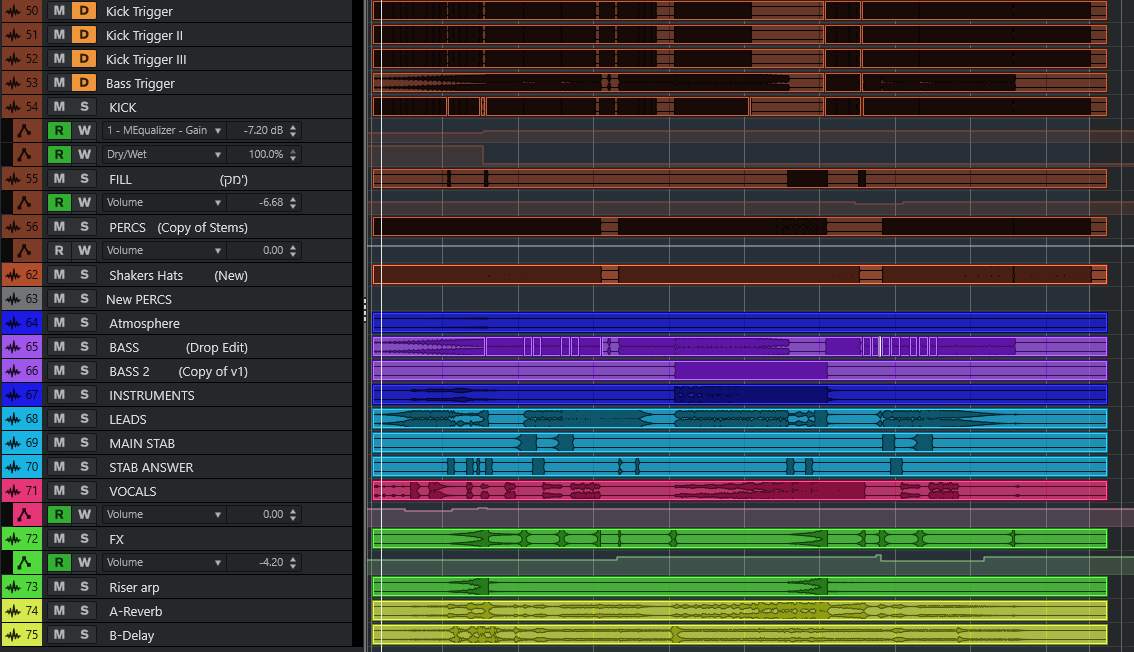
The fix: Name every stem clearly and specifically:
- DRUMS_Kick_Main
- DRUMS_Kick_Trigger
- DRUMS_Snare
- DRUMS_Hi_Hat
- BASS_Sub
- BASS_Mid
- SYNTH_Lead_Verse
- SYNTH_Lead_Chorus
- SYNTH_Pad
- FX_Riser
- FX_Reverb_Return
- FX_Delay_Return
4. Setting Locators Too Tight – Cutting Off Your Audio
When you export stems, you set a start and end point in your DAW. Most producers set these locators right at the first beat of the first bar and the last beat of the last bar. Seems logical. It is not.
If your kick drum has any pre-ring or transient that starts even a few milliseconds before bar one, you have just cut it off. More critically: if any elements have reverb tails, delay trails, or sustaining notes at the end of the track, they get abruptly chopped. The engineer receives stems where elements are already fading out unnaturally.
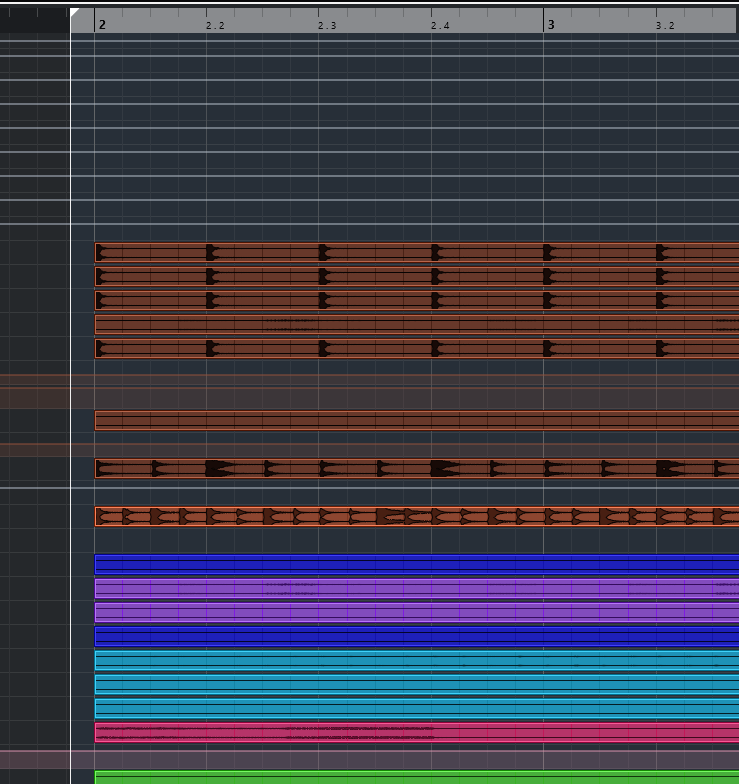
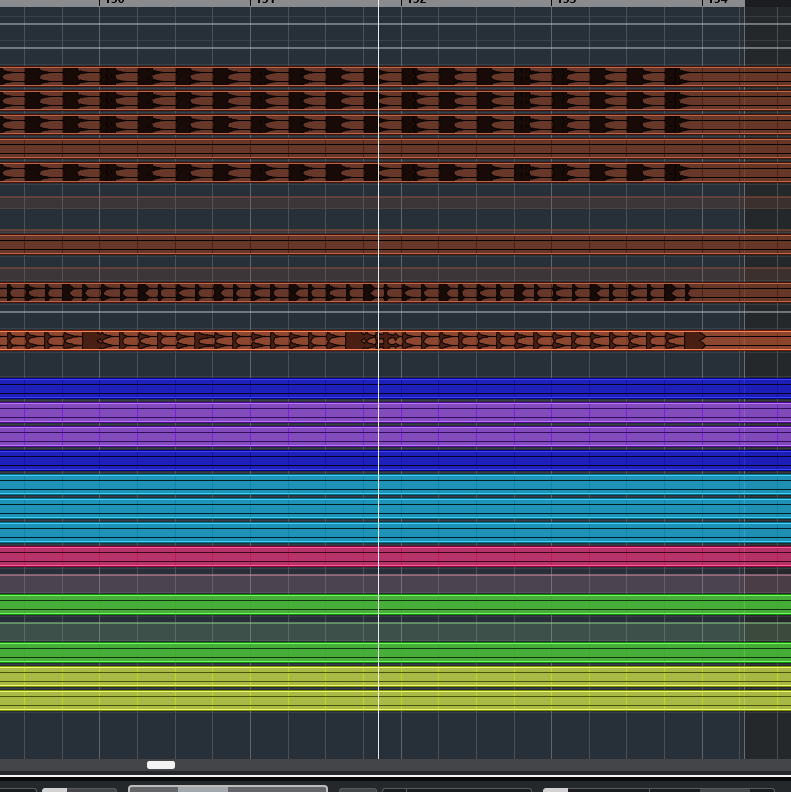
The fix: Add one to two bars before your first beat and one to two bars after your last beat. This gives the engineer a clean buffer – and they will never receive audio that has been cut in the wrong place.
5. Not Sending Reference Tracks and Creative Direction
This is the mistake that surprises most producers. They assume a good mixing engineer will just “know” what to do with their track. But mixing is not just technical – it is deeply creative. Without direction, even the best engineer is guessing at your vision.
How wide should your mix be? How punchy should the low end feel? Are you going for a clean, modern sound or something rawer? Should the engineer preserve every creative choice you made, or do they have license to push the track in a new direction? Only you can answer these questions.
The fix: Along with your stems, send a brief that includes:
- 2-3 reference tracks – commercially released tracks in the same genre with the vibe and sound you are aiming for.
- Creative direction – what you love about the rough mix, what you want changed, how much freedom you are giving the engineer.
- Specific notes – “the sub bass needs to stay this heavy,” “the vocal reverb is intentional,” “I want the kick to hit harder than the reference.”
A well-briefed engineer delivers a first mix that is 80% there. An engineer working without references often requires two or three revision rounds just to establish the correct direction.
The Complete Stem Preparation Checklist
- Bounce-back test completed – stems sound identical to original mix in a new empty project
- No duplicate tracks from group/bus exports (Ableton users: double-check this)
- Processing kept on stems where it defines the creative sound
- Master bus and mix bus processing removed
- Every stem file clearly and specifically named by function
- Export locators set with 1-2 bar buffer before and after
- 2-3 reference tracks included
- Creative brief with direction attached
Following these steps will not just make your mixing engineer’s job easier – it will make your final mix better. The best sessions are collaborations, and collaboration requires clear communication. Proper stem preparation is how that communication starts.
Have a track ready for mixing? At ETM Studio we work with EDM producers at every level – from bedroom producers releasing their first track to signed artists on label deadlines. Get in touch and let us hear what you are working on.
